Agent State
View the complete sample on GitHub
This sample demonstrates how to use agent state to build stateful agents that remember information across interactions.
Key Concepts
- Agent State: Persistent storage hidden from the model, accessible to tools
- Conversation History: Messages passed to the model for reasoning
- Hooks: Track and respond to agent lifecycle events
What This Demo Does
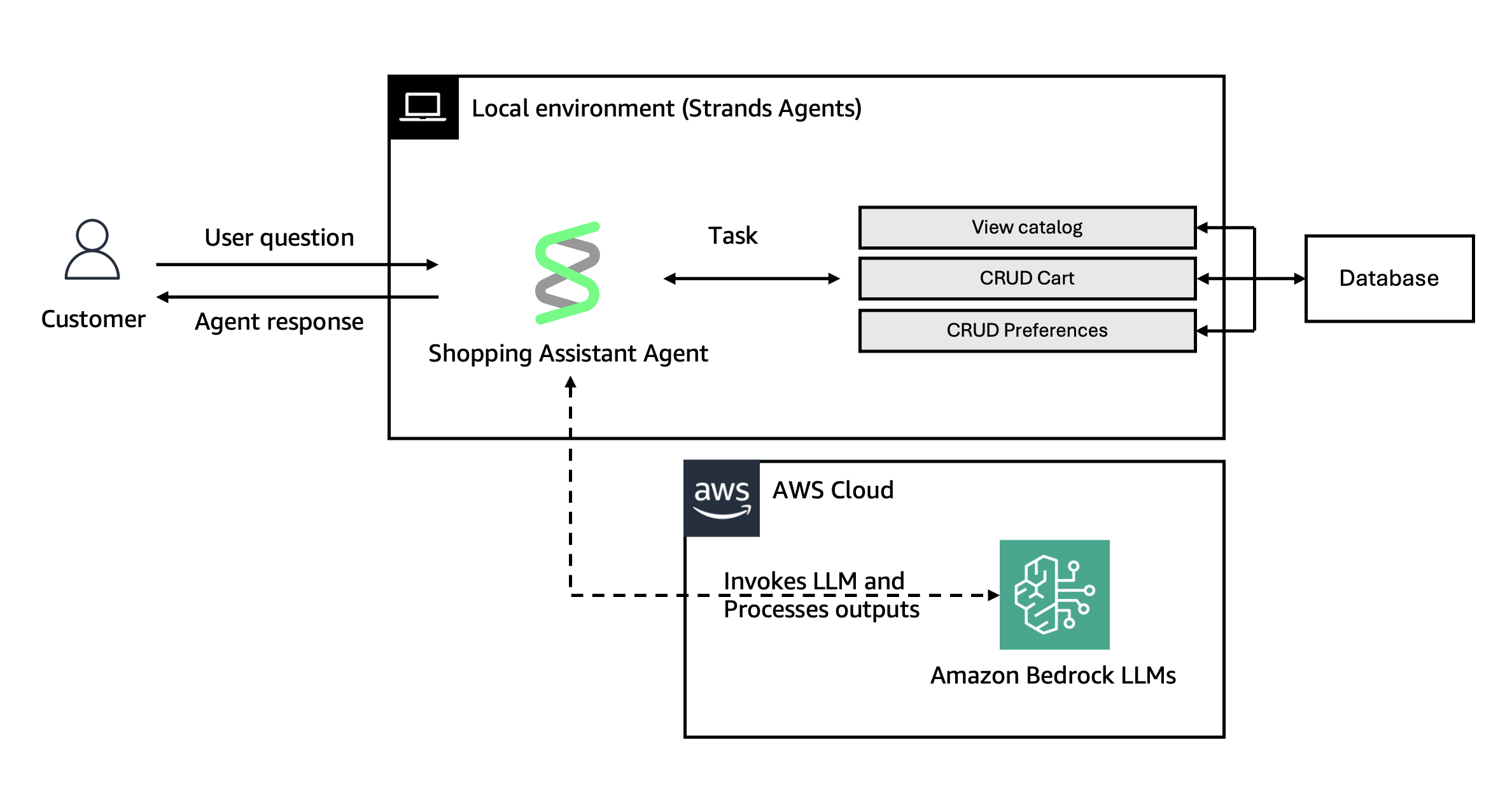
Creates a shopping assistant that:
- Tracks the user ID as part of the agent state
- Tracks items in a user’s cart in an external store
- Remembers user preferences
- Provides tools to add/remove items and view cart
- Uses hooks to log activity and store conversation history
Project Structure
src/├── index.ts # CLI entry point, conversation loop├── agent.ts # Agent configuration, tools, hooks└── database.ts # Dummy DB implementation that persists data in a database.json fileThe database is a simple JSON file-based implementation for demo purposes. In production, you’d use a real database.
Getting Started
Prerequisites
- Node.js 22+ (the version
@strands-agents/sdksupports) - AWS Bedrock access
Installation
npm installConfiguration
export AWS_ACCESS_KEY_ID=your_access_keyexport AWS_SECRET_ACCESS_KEY=your_secret_keyexport AWS_REGION=us-east-1Build
npm run buildRun
Run your agent
npm start YOUR_USER_IDTesting Journey
Follow this sequence to see state persistence in action:
- Introduce yourself: “My name is Alex”
- Set preferences: “I prefer USD currency and cash payment”
- Browse products: “Show me laptop prices”
- Add items: “Add a laptop and a mouse to my cart”
- Remove item: “Remove the mouse, I already have one”
- Exit: Type “exit”
- Restart: Run
npm startagain - Verify persistence: “What’s my name and what are my preferences?”
The agent should remember your name, preferences, and cart contents across sessions.
Key Takeaways
- State persists across invocations but is hidden from the model
- Tools access state via
context.agent.state - Conversation history is what the model sees
- Hooks let you track agent behavior