Browser Agent
View the complete sample on GitHub
Overview
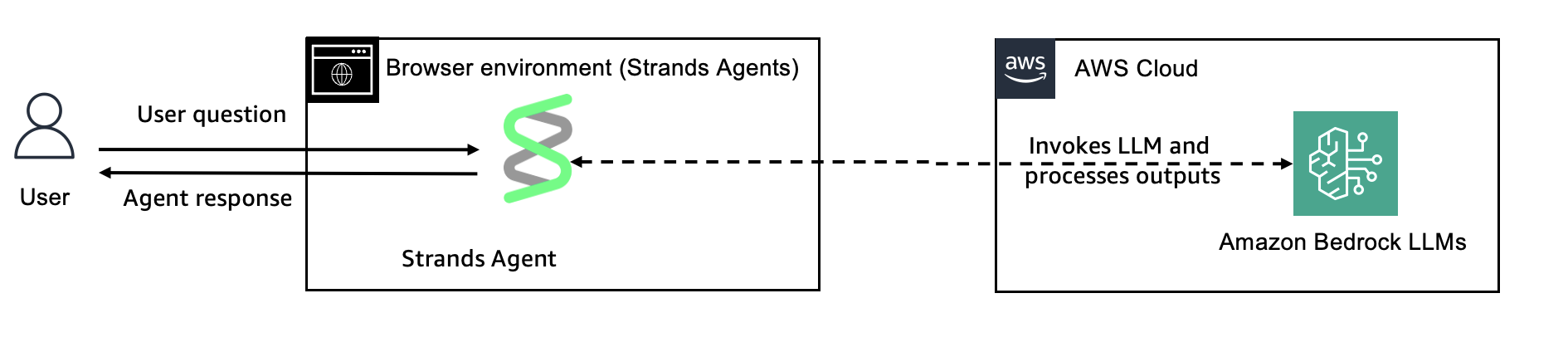
This tutorial demonstrates how to run a Strands Agent entirely in the browser using the TypeScript SDK with Vite as the build tool. The example creates a simple chat interface where users can interact with an agent directly from their web browser.
| Feature | Description |
|---|---|
| Agent Structure | Single agent architecture |
| Architecture | Client-side only (browser) |
| Build Tool | Vite |
| Model Providers | Amazon Bedrock (Claude Sonnet 4.6), OpenAI (GPT-4o) |
Prerequisites
- Node.js 22 or later (the version
@strands-agents/sdksupports) - One of the following:
- AWS credentials with Amazon Bedrock access (Access Key ID, Secret Access Key, and optionally Session Token for temporary credentials)
- OpenAI API key
- Basic TypeScript and web development knowledge
Project Structure
03-browser-agent/├── images/│ └── browser_agent.png # Architecture diagram├── index.html # Entry HTML with chat UI├── src/│ ├── main.ts # Agent setup and DOM interaction│ ├── style.css # Chat interface styling│ └── vite-env.d.ts # Vite type declarations├── package.json # Dependencies├── tsconfig.json # TypeScript configuration├── vite.config.ts # Vite configuration└── README.md # This fileRunning the Example
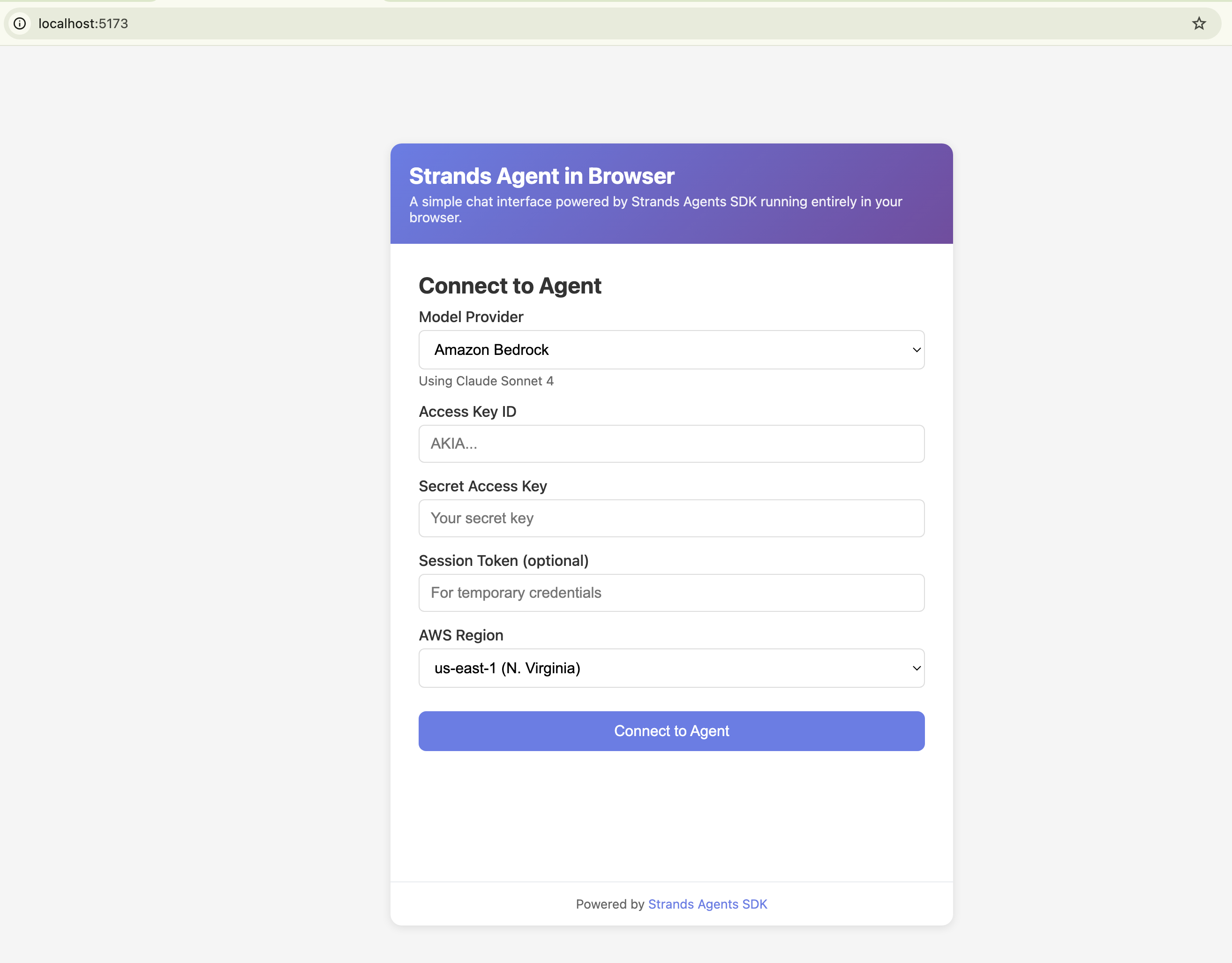
cd typescript/01-learn/06-browser-agentnpm installnpm run devThis will start the Vite dev server and open http://localhost:5173 in your browser.
Key Concepts
Browser-Based Agent
The agent runs entirely in the browser, which means:
- No backend required - API calls go directly from the browser to the model provider (development only - see Security Considerations)
- Simple deployment - Can be hosted on any static file server (do not bundle credentials)
Agent Configuration
In browser environments, credentials must be passed explicitly. The application supports two model providers:
Amazon Bedrock
import { Agent, BedrockModel } from "@strands-agents/sdk";
const agent = new Agent({  model: new BedrockModel({    region: "us-east-1",    clientConfig: {      credentials: {        accessKeyId: "...",        secretAccessKey: "...",        sessionToken: "...",  // Optional, for temporary credentials      },    },  }),  systemPrompt: "You are a helpful assistant running in the browser."});
OpenAI
import { Agent } from "@strands-agents/sdk";import { OpenAIModel } from "@strands-agents/sdk/models/openai";
const agent = new Agent({  model: new OpenAIModel({    apiKey: "sk-...",    modelId: "gpt-4o",    // Required to allow OpenAI SDK to run in browser environments    clientConfig: {      dangerouslyAllowBrowser: true,    },  }),  systemPrompt: "You are a helpful assistant running in the browser."});
Streaming Responses
Streaming displays the response progressively as it’s generated, providing immediate feedback:
for await (const event of agent.stream(userMessage)) { if ( event.type === "modelStreamUpdateEvent" && event.event.type === "modelContentBlockDeltaEvent" && event.event.delta.type === "textDelta" ) { responseText += event.event.delta.text; // Update UI with each chunk }}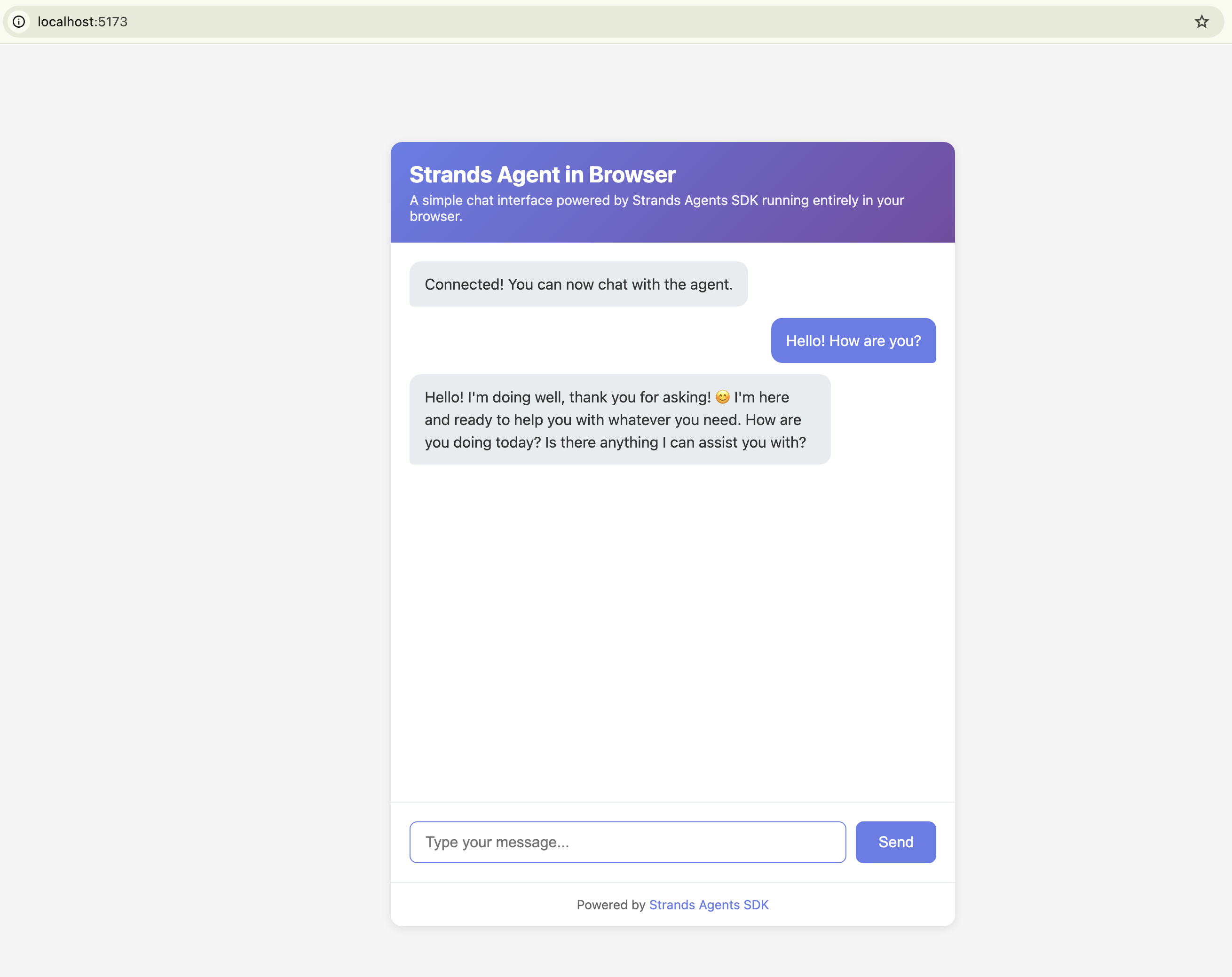
Vite
Vite is a build tool that enables browser-based development:
- TypeScript compilation - Compiles
.tsfiles to JavaScript since browsers can’t run TypeScript directly - Module bundling - Resolves and bundles dependencies (like
@strands-agents/sdk) so browsers can load them - Dev server - Serves files locally with automatic reload on save
- Production builds - Creates optimized, minified files for deployment
Security Considerations
When running agents in the browser, be aware of:
- Credentials Exposure - AWS credentials and OpenAI API keys used in browser code are visible in the network tab and browser developer tools
- For Production - Use a backend proxy or secure token-based authentication
- Development Only - This tutorial is intended for development and demonstration purposes
Building for Production
npm run buildThis creates an optimized build in the dist/ directory that can be deployed to any static hosting service.